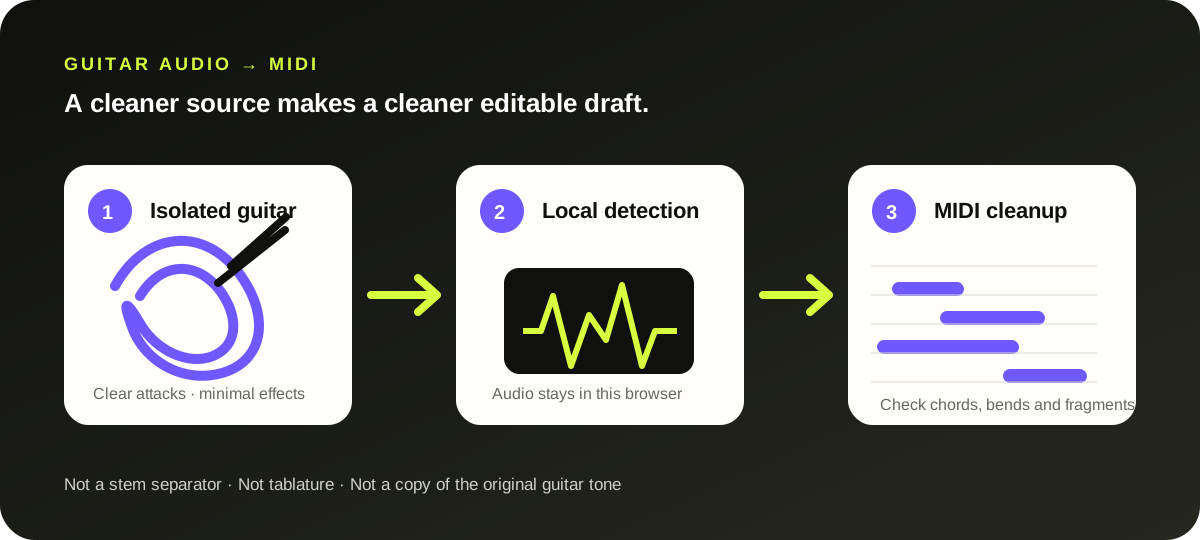
Use a clean, isolated guitar take for the most usable MIDI draft. This browser tool detects notes locally and exports a .mid file. Single-note riffs and clearly voiced parts are easier than distorted chords, long reverb tails or a guitar buried in a full mix.
The reliable path is a clean guitar-only recording, local note detection, then a short piano-roll cleanup pass. A mixed song is not separated into guitar stems here.
WHAT THIS CONVERTER ACTUALLY DOES
It detects pitches—not strings, frets or guitar tone.
The browser down-mixes the selected recording to mono, resamples it for the local transcription model, and detects note attacks, pitches and durations. The download stores MIDI notes and velocity. It does not contain the amp sound, pedal chain, microphone character or a separated guitar stem.
This matters on guitar because the same pitch can come from more than one string and fret. MIDI can say “E4 starts here,” but it cannot prove where that E was played. For tablature, import the MIDI into a notation or tab editor and correct its string assignments by ear.
Primary implementation reference: Spotify Basic Pitch documents instrument-agnostic polyphonic transcription and says it works best on one instrument at a time.
A GUITAR-SPECIFIC SECOND PASS
Fix the cause before deleting notes one by one.
01
Listen for overlap
Check whether open strings, delay repeats or reverb tails continue under the next note.
02
Reduce sensitivity
If harmonics become extra notes, move sensitivity toward Clean and convert again.
03
Raise minimum note
If pick noise creates tiny fragments, move minimum note toward Long and reconvert.
04
Inspect bends
This download does not write continuous pitch-bend events. Check bends and slides for stepped notes.
INPUT → OUTPUT
Know what survives the conversion.
This is a practical MIDI draft for editing, not a lossless copy of a performance.
✓
Note pitch and timing Detected notes keep their approximate start time and duration.
✓
Editable velocity Detected strength is mapped into MIDI note velocity.
×
Guitar tone Pickups, amp, cabinet and effects are audio—not MIDI note data.
×
String and fret position The file does not identify which physical fingering produced a pitch.
QUESTIONS, ANSWERED
Guitar audio to MIDI FAQ
Can this convert guitar chords to MIDI?
It can detect overlapping pitches, so a clean chord may produce several MIDI notes. Guitar overtones and ringing strings can also produce extras, especially with distortion or ambience. Treat chord output as a draft and inspect each voicing in a piano roll.
Should I record DI or through an amp?
Use whichever recording has clearer attacks and less noise. A clean DI signal is often the simplest starting point, but a clean amp recording can also work. Heavy distortion compresses the signal and adds harmonics that can be mistaken for notes.
Does it turn guitar audio into tablature?
No. The download is a standard MIDI file with pitches and timing. Tablature also needs a string-and-fret choice, and one pitch can have several valid positions on the neck.
Why do bends and slides create extra notes?
A bend moves continuously through pitch, while this site's MIDI writer exports fixed note events rather than pitch-bend messages. The detector may represent part of that motion as neighboring notes. Check those passages manually after import.
Can it isolate guitar from a full song?
No. The tool analyzes the whole selected file and does not split stems. Export or create a guitar-only stem first, then convert that isolated audio.