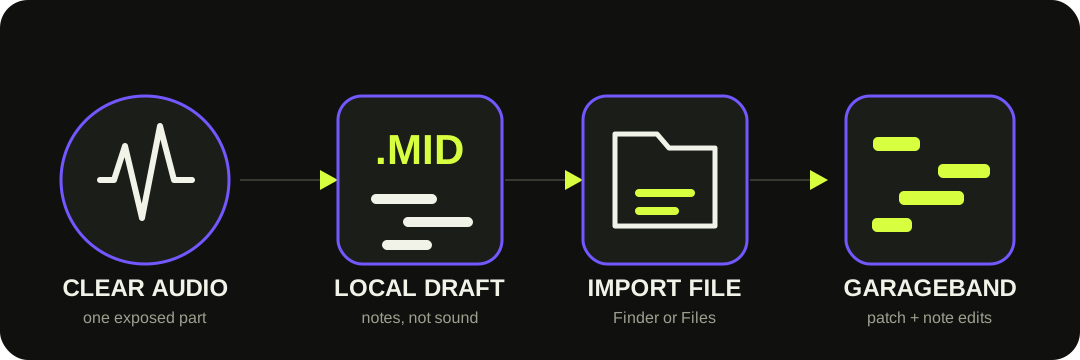
Convert one clear audio part here, download the .mid, then import it into GarageBand. On Mac, drag it from Finder into the Tracks area. On iPhone, set the song section to Automatic first, then import through Files. Choose a GarageBand instrument and correct the notes.
The MIDI file carries notes and timing. GarageBand supplies the instrument sound and the editing environment.
WHAT GARAGEBAND DOES
GarageBand imports MIDI; convert the recording before you import it.
Apple's current GarageBand guide documents importing audio files and importing MIDI files as separate operations. It does not document a command that analyzes an audio recording and creates MIDI notes. That absence is an inference from the current guide, not a claim about every third-party Audio Unit or older version.
This browser tool handles the missing conversion step. It turns detected pitches into a Standard MIDI file that GarageBand can place on a software instrument track. MIDI does not contain the recorded voice, guitar, or piano sound; the patch you choose in GarageBand produces the new sound.
The Mac and iPhone routes end on an editable instrument track.
01
Trim one part
Use the shortest exposed phrase that answers your musical question. Less bleed means fewer false notes.
02
Create the .mid
Use the browser converter, check the preview, and download the Standard MIDI file.
03
Import it
On Mac, drag from Finder. On iPhone, set the section to Automatic, browse in Files, and drag into Tracks view.
04
Patch and review
Choose an instrument in GarageBand, keep the source audible, and correct the generated MIDI region.
MAC ROUTE
Drag the file to a software instrument track—or below the existing tracks.
Apple's Mac guide gives two valid targets: an existing software instrument track or the empty area below the tracks. GarageBand places the imported file on one or more software instrument tracks, where you can choose the playing instrument in the Library.
This site's download contains one MIDI track, so it does not automatically become separate vocal, bass, chord, and drum parts. If you started with a full mix, isolate the wanted part before conversion rather than expecting GarageBand import to separate it.
REVIEW BESIDE THE SOURCE
Correct the notes before polishing the performance.
The new instrument can disguise transcription mistakes. Compare against the recording with a plain, sustained patch before making the MIDI expressive.
1
Pitch and octave — repair notes that disagree with the source melody or bass line.
2
Note boundaries — remove tiny fragments and split notes merged by sustain or reverb.
3
Timing — move or quantize only after the musical notes are correct.
4
Velocity and sound — shape dynamics for the chosen GarageBand patch; MIDI never copied the source timbre.
THE OUTPUT BOUNDARY
The download is one note track, not a GarageBand project.
This site's MIDI writer stores detected pitch, start, duration, velocity, and tempo metadata in one track. It does not create a .band project, copy the source audio, choose a GarageBand patch, preserve lyrics, or separate stems.
It also does not produce finished sheet music. A MIDI region can be edited as notes, but readable notation requires separate rhythm, key, voice, and layout decisions.
QUESTIONS, ANSWERED
Audio to MIDI for GarageBand FAQ
Can GarageBand convert audio to MIDI by itself?
GarageBand's current user guide documents audio editing and MIDI-file import, but does not document a built-in command that analyzes a recording into MIDI notes. Convert the recording first, then import the .mid.
How do I import MIDI into GarageBand on Mac?
Drag the file from Finder to a software instrument track or the empty area below the existing tracks. GarageBand places the MIDI on one or more software instrument tracks, and you can choose the sound in the Library.
Why is the MIDI cut short on iPhone?
Set the song section length to Automatic before importing. Apple says that otherwise only the part that fits the current song section is imported.
Why does the MIDI sound different from the recording?
MIDI stores notes and performance data, not recorded sound. GarageBand plays those notes through the software instrument patch you choose.
Does this create a GarageBand project or separate stems?
No. The browser creates one Standard MIDI note track. It does not create a .band project, preserve the source audio, choose a patch, separate stems, or produce finished notation.