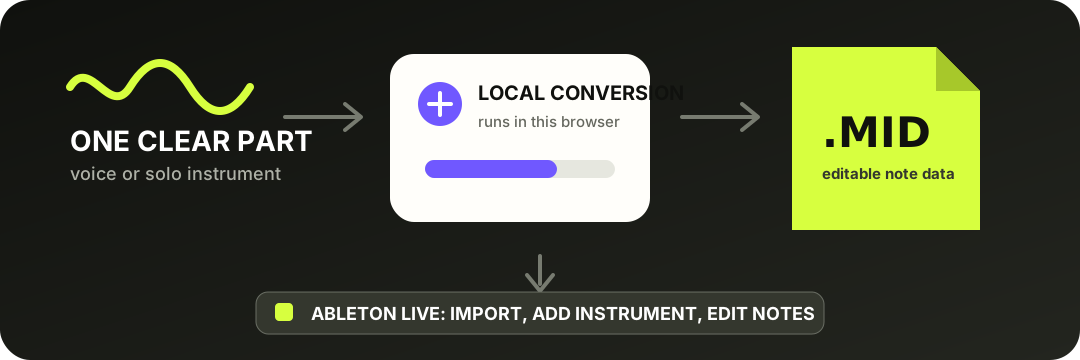
Convert one clear voice or solo instrument here, download the .mid file, then import it into an Ableton Live MIDI track. Add an instrument in Live to hear it. This tool creates editable notes; it does not preserve the recorded sound or split a full song into stems.
The transferable part is the note data. Instrument sound and detailed editing happen after import in Live.
CHOOSE THE RIGHT ROUTE
Use Live's converter when it matches the source. Use this site when you need a simple downloadable MIDI file.
Ableton's official Live 12 manual describes four built-in routes: Slice to New MIDI Track, Convert Harmony, Convert Melody, and Convert Drums. Melody targets monophonic audio; Harmony targets polyphonic recordings; Drums extracts rhythmic events; Slice maps time slices across MIDI notes.
This browser converter is narrower. It is designed for one prominent melodic line, such as a vocal, whistle, or solo instrument. That narrower scope is useful when you want a standard .mid file first, or when you want to review the detected notes before opening Live.
Export or record one dry, clearly audible melody. Clear attacks and little background sound reduce false notes.
02
Convert locally
Use the converter, preview the notes, set the tempo metadata, and download the .mid file.
03
Import the MIDI
Drag the file from Explorer or Finder into a Live MIDI track, or use Create > Import MIDI File....
04
Load and clean up
Add an instrument, then correct obvious extra notes, missed notes, timing, note length, and velocity.
Ableton confirms that Live can import standard .mid and .smf files, and that MIDI needs an instrument to produce sound: Understanding MIDI files.
FIRST PASS IN LIVE
Fix the notes in this order.
Start with mistakes you can hear, not a blanket quantize. This keeps intentional timing while removing transcription artifacts.
1
Wrong octave or pitch - move the clearly incorrect note before changing timing.
2
Short fragments - delete tiny notes caused by noise, breath, reverb, or string resonance.
3
Missing note boundaries - split or trim notes where two attacks were merged.
4
Timing and velocity - quantize lightly, then adjust dynamics after the note content is correct.
WHAT MOVES INTO LIVE
The MIDI file carries notes, not the original tone.
The download contains detected note events: pitch, start time, duration, and velocity. It does not contain the singer's voice, guitar tone, room sound, effects, or a copy of the source recording. After import, choose any Live instrument or compatible plug-in to play the notes.
The tempo control on the converter writes project tempo metadata. It does not stretch the original recording or guarantee that every detected attack lands on the grid. Keep the clip's musical timing, then quantize only as much as the part needs.
QUESTIONS, ANSWERED
Audio to MIDI for Ableton FAQ
Can Ableton Live convert audio to MIDI by itself?
Yes. The Live 12 manual documents Slice, Harmony, Melody, and Drums conversion commands. The correct choice depends on whether the source is a loop to slice, chords, one melody, or percussion.
Why is the imported MIDI silent?
MIDI is note and performance data, not audio. Put the clip on a MIDI track and load an instrument device, VST, AU instrument, or external MIDI destination.
Does the MIDI keep the original singer or instrument sound?
No. The output stores detected pitch, timing, duration, and velocity information. Choose a new instrument in Live to turn those events back into sound.
Can I convert chords with this browser tool?
This tool is intended for one clear melodic line. For chordal piano or guitar, use Live's Convert Harmony command or another polyphonic workflow.
Should I convert MP3 or WAV?
Use WAV when you have it. Ableton's conversion guide recommends clear attacks, isolated instruments, and uncompressed high-quality audio; lossy MP3 material can produce less predictable results.